U19 App Download — The Best Mobile Gaming Experience
Download the u19 app and enjoy cricket betting, lottery, Live Casino, and slots anytime, anywhere. Works on both Android and iOS — easy to install, fully in Bangla.
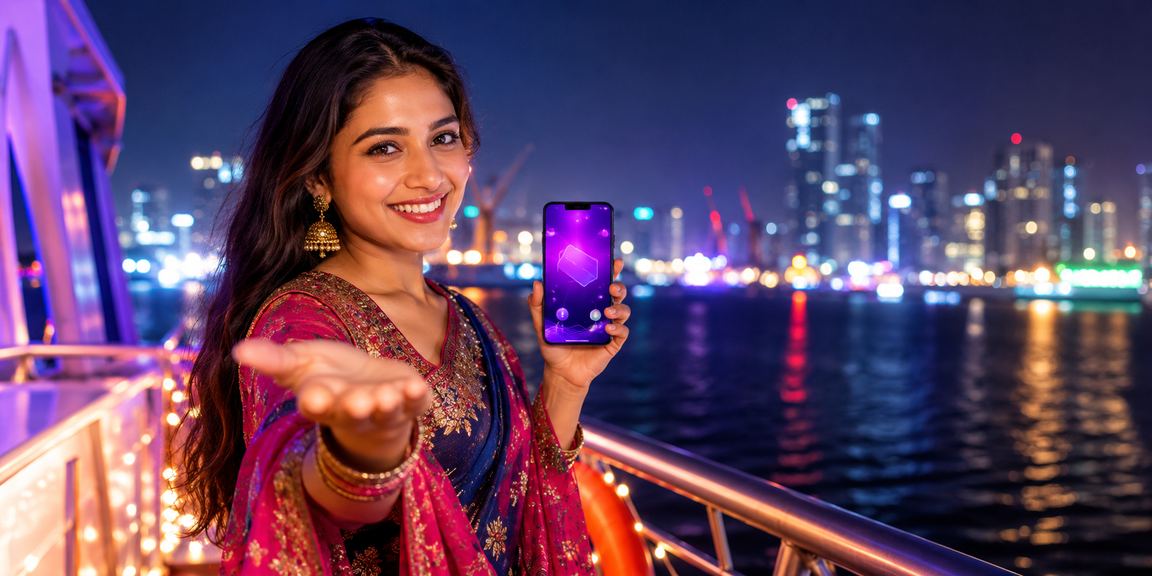
What is the u19 app and why should you download it?
U19 is one of Bangladesh's leading online gaming and betting platforms. Download the app to play cricket and football betting, lottery, and Live Casino games directly from your smartphone — no browser needed. Just open the app, log in, and start playing.
Using the mobile app gives you live match updates via push notifications, faster load times, and easier Mobile Pay and Nagad payments. The fully Bangla interface makes it accessible for users of all ages.
App highlights at a glance
| Category | Android | IOS |
|---|---|---|
| Minimum Version | Android 6.0 (Marshmallow) | IOS 13.0 |
| File Size | Approx. 35 MB | ~40 MB |
| Language | Bangla & English | Bangla & English |
| Payment Support | Mobile Pay, Nagad, Rocket | Mobile Pay, Nagad, Rocket |
| Update Frequency | Regular (Monthly) | Regular (Monthly) |
The experience Bangladeshi users love
From Dhaka to Chattogram, Rajshahi to Rangamati — see how u19 app users across the country are enjoying the experience.

Bet live on cricket matches
Live betting is available on the u19 app during BPL and national team matches. Users in Rajshahi often enjoy betting from home or on the go while following the game on their phones. With notifications enabled, you get instant updates on wickets and run scores.
Beyond cricket, you can also bet on football, kabaddi, and more sports.

Live Casino anywhere, anytime
Even in remote areas like Rangamati, you can play live baccarat, roulette, and poker on the u19 app as long as you have mobile internet. The app runs smoothly on low bandwidth — enjoy your games on either 3G or 4G.
Experience real-time gameplay with live dealers.

Lottery tickets, right at your fingertips
Many Dhaka users buy lottery tickets on the u19 app while commuting or stuck in traffic. Pay directly with Mobile Pay or Nagad and get results via notification — no need to visit a shop.
Lottery draws happen every day — stay on the app and never miss a single one.
How to download and install
Install the u19 app on your phone in just a few simple steps.
Install on Android
Open your phone's Settings, go to "Security" or "Apps", and enable the "Install from unknown sources" option.
Download the Android APK file from the official u19 site. Once the download is complete, the file will appear in your notifications.
Tap the downloaded file and hit the Install button. Installation takes just 30 seconds.
The u19 icon will appear on your home screen. Tap it to open the app and log in to your account.
Add Mobile Pay or Nagad, make a deposit, and head to your favourite game or betting section.
Install on iPhone or iPad
Open Safari on your iPhone or iPad and go to the official u19 website.
Tap the iOS app link on the download page and it will walk you through the installation process.
Go to Settings to install the downloaded profile and mark the app as trusted.
Launch the u19 app from your home screen. Once iOS security is verified, the login screen will appear.
What users enjoy most about the app
Live betting on BPL, Dhaka Premier League, and international matches. The top choice for Bangladeshi users.
Baccarat, roulette, and poker with real dealers. Fast loading, smooth streaming.
Buy tickets for daily lottery draws and check results directly from the app.
Hundreds of slots optimized for mobile — runs smoothly on any device.

Download now and claim your bonus on day one
Download the u19 app, open a new account, and you could be eligible for a welcome bonus. Register and get started today.
Frequently Asked Questions About the Download
Yes, the u19 app is completely free to download — no charges for either the Android or iOS version. You will need to deposit funds into your account to place bets or play games.
Yes, to install a third-party APK on Android you need to enable "Install from unknown sources." You can find this option under Security in your Settings. Once the installation is complete, you can turn it off again for security.
The u19 app runs on Android 6.0 (Marshmallow) or later. Most smartphones made after 2016 are compatible. If you run into any issues, FAQ Section Find detailed solutions here.
After logging in, go to the "Payment" or "Deposit" section and select Mobile Pay. Enter your Mobile Pay number and the amount, then confirm the deposit using the OTP sent to you — funds are typically added to your account within 1–5 minutes.
Android users can update by visiting the u19 site, downloading the latest APK, and installing it over the existing version. iOS users will receive a notification when a profile update is available. Each update brings new features and performance improvements.
For any issues during installation in the FAQ section Detailed solutions are available. You can also get help in Bangla directly via u19's live chat support, or email [email protected] for a prompt response on business days.